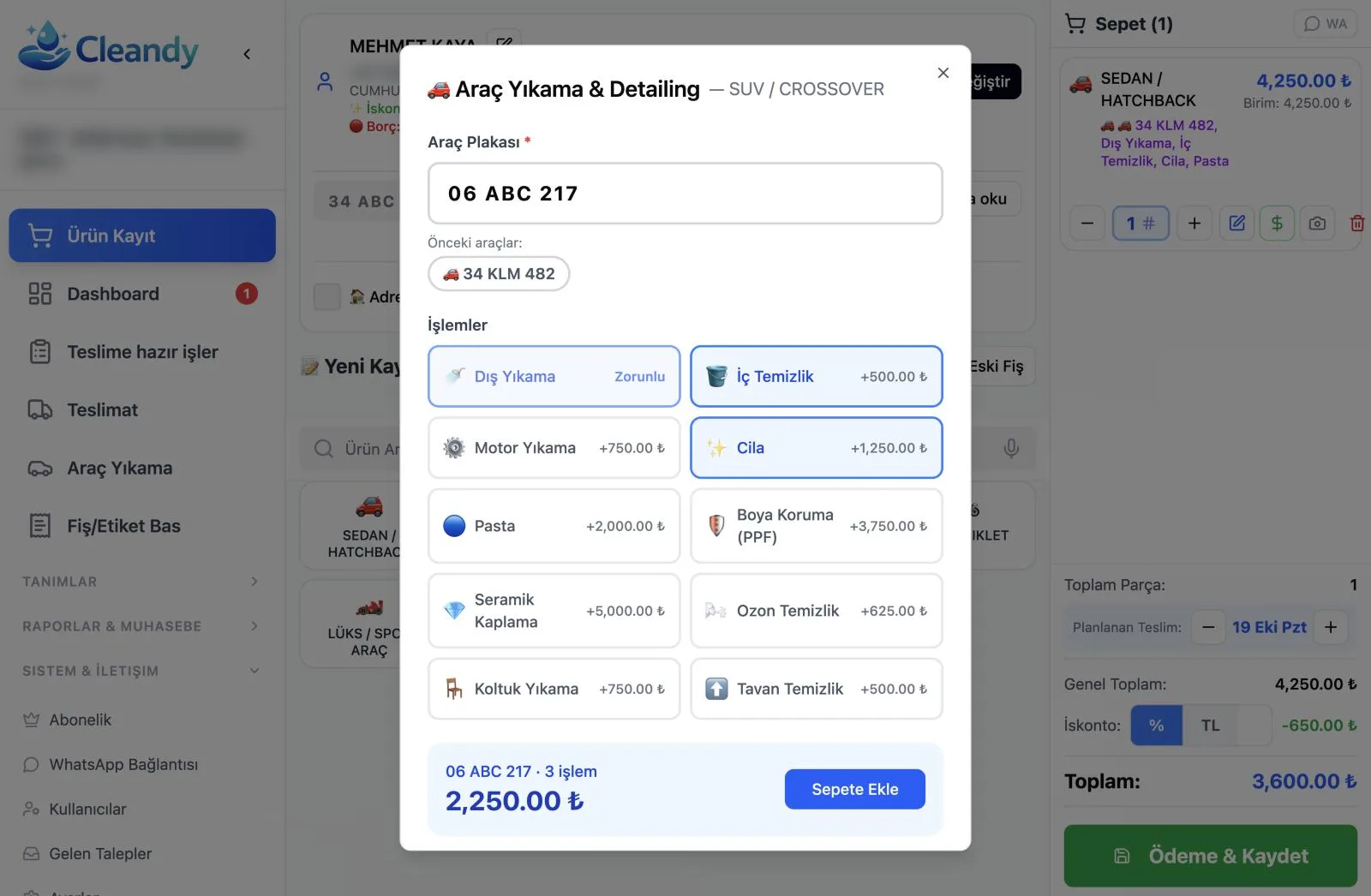
Auto Detailing Software: Ceramic, PPF and Polishing on One Receipt
A car care shop or detailing studio is a different business from a quick wash. A vehicle stays inside for several hours, sometimes all day; interior cleaning, polishing, waxing and ceramic coating sit side by side on a single receipt; the ticket is large, and at handover even the smallest scratch can turn into a dispute. That's why, when choosing detailing software, you need to ask more than "can it print a receipt?"
In this article we explain what to look for in software that runs a detailing business, and how this work is recorded in Cleandy car wash software.
Why Are a Detailing Business's Needs Different?
- Multi-item jobs: Four or five different services are done on one vehicle, each with its own price.
- Long duration: Ceramic coating or paint protection film (PPF) takes hours; the wash bay and the technician are tied up the whole time.
- High tickets: The higher the amount, the more the customer wants to see line by line what they're paying for.
- Damage sensitivity: With expensive vehicles, recording the existing condition at check-in is a must.
- Repeat visits: Maintenance washes after a coating bring the customer back regularly.
A simple POS program that's good enough for a quick wash doesn't meet most of these five needs. Detailing software should build the job around the vehicle and the services.
How Should Service Selection Work in Detailing Software?
In Cleandy, a detailing receipt is opened in three steps:
- Select the vehicle type. More than 12 vehicle types are predefined: Sedan/Hatchback, SUV/Crossover, Minibus/Van, Pickup/Light Truck, Motorcycle, Luxury/Sports and others.
- Enter the plate. If a customer is selected, the plates of vehicles they've brought in before are listed under "Previous vehicles", and you pick one with a single tap. On the first visit, the plate is saved.
- Tick the services. Exterior Wash comes as the base service; on top of it you add Interior Cleaning, Engine Wash, Wax, Polishing, Paint Protection (PPF), Ceramic Coating, Ozone Cleaning, Seat Cleaning and Headliner Cleaning. The extra charge for each service is shown next to it, and the total updates as you select.
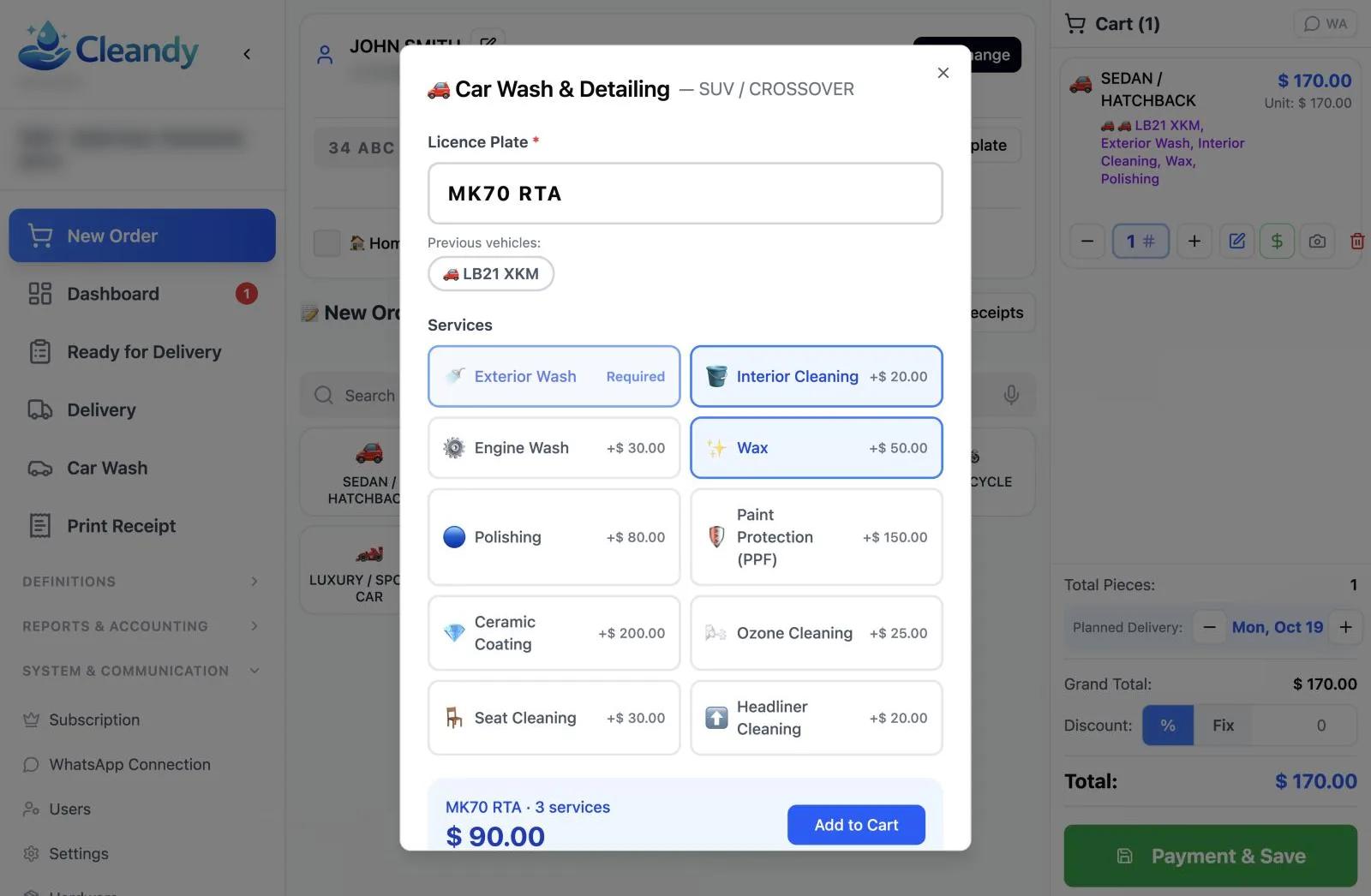
With "Add to Cart", the vehicle is added to the receipt. The receipt line shows the vehicle type, plate and selected services together; on the printed receipt, the plate and services are also listed under the line item. The customer can clearly see on the receipt which services were done on their vehicle and what they paid in total.
Pricing by Vehicle Type
Polishing an SUV takes longer and uses more product than polishing a hatchback, and your price should reflect that. In Cleandy, you define a separate price list for each vehicle type; when you select the vehicle type, service prices come from that list and the vehicle type is saved on the receipt. In special cases you can still edit the price of a receipt line by hand, and give a discount as a percentage or an amount on the line or on the whole receipt. If you set a percentage discount for fleet customers on their customer card, the discount is applied to the receipt automatically when that customer is selected.
When building your price list, think about three things together: vehicle type, how long the service takes and the products used. A detailing studio that works with a single price loses money on large vehicles without even noticing. When prices are defined by vehicle type, the cashier doesn't have to memorize which difference to apply to each vehicle; the right price comes up on its own.
Vehicle Photos at Check-In
In detailing, the most expensive argument starts with "This scratch wasn't there before." In Cleandy, you use the camera button on the receipt line to photograph the vehicle at check-in and attach the photo to that line item. Photos appear on the receipt screen and the delivery screen, so you can check the existing condition together with the owner at handover. This feature is included in Professional and higher plans.
We explain in detail why damage records matter so much in our car wash damage records article.
Plan Long Jobs in the Calendar
Ceramic coating is a job where the car comes in in the morning and leaves in the evening. In Cleandy's Car Wash calendar, each wash bay is its own column, and you set the start and end time of each appointment. A four-hour job takes up four hours in the calendar, and those hours show as "Booked" on the online booking page your customers use.
You assign the technician who will do the work to each appointment, and technicians see only their own jobs on their screen. Each record moves through the Pending, In Progress and Completed stages. That way you can answer "When will the ceramic job be done?" just by looking at the calendar.
Receipt, WhatsApp and Handover
If the WhatsApp switch is on when you save the record, the receipt goes to the customer's phone automatically; if it's off, you send it with a single tap. The WhatsApp receipt includes the receipt number, a link to the receipt barcode that can be scanned from the customer's screen at handover, the line items, the total amount and the customer's balance, if any. The message is sent from your business's connected WhatsApp line; staff members' personal phones stay out of it.
When the job is done, you mark the vehicle as "Ready" in the delivery list; if you've set up a WhatsApp message template, a ready message goes to the customer. You can take payment when you open the receipt, or choose "On Delivery" and collect it when the vehicle is handed back.
Bring Customers Back with a Maintenance Package
A customer who gets a ceramic coating needs regular maintenance washes to make the coating last. You can turn this into a wash pack: for example, you sell a package that includes a few maintenance washes along with the coating and tie the package to the vehicle's plate. Each time the customer comes in, a wash is deducted from the package, and they see how many washes they have left on their receipt. We walk through the setup step by step in our car wash subscription and package system article.
End of Day: Revenue, Expenses and Permissions
Product costs are high in detailing. If you record purchases such as ceramic coating liquid, polishing compound, pads and microfiber cloths on the Expenses screen, the end-of-day Z report shows revenue and expenses side by side. The report is broken down by payment method (cash, card, on account, bank transfer), lists cancelled receipts with their reasons and can be exported to Excel.
You're in control on the team side, too. Cash is tracked per staff member; in the receipt list, the name of the cashier who processed each receipt is shown next to it; and users with the cashier role cannot access the Z report or the receipt list. Your technicians, with the employee role, see only their own jobs in the calendar.
5 Questions to Ask When Choosing Detailing Software
- Can you add several services to one vehicle and see the price of each one separately?
- Do the customer's previous vehicles come up when you enter a plate?
- Can you attach a vehicle photo to the receipt at check-in?
- Can jobs that take hours be planned by wash bay and technician?
- Can you sell packages for maintenance washes and track the remaining washes?
Frequently Asked Questions
Is detailing software the same as car wash software?
Largely, yes. Both open receipts based on the vehicle, the plate and the services. On the detailing side, multi-item jobs, long appointments and vehicle photos at check-in become more important.
Can services like ceramic coating and PPF be selected separately?
Yes. Services are ticked one by one, each one's extra charge is added to the total, and they're listed under the line item on the receipt.
Is adding vehicle photos available on every plan?
No. The option to add vehicle photos at check-in is available on Professional and higher plans.
Can I apply different prices by vehicle type?
Yes. You define a separate price list for each vehicle type, and when you select the vehicle type, prices come from that list. When needed, you can edit a line price by hand and give a discount as a percentage or an amount.
Try Your Detailing Receipts
To try it with your own services, explore Cleandy car wash and detailing software and try it free for 15 days; no credit card required.