Car Wash Appointment System: Let Customers Book Through a Link
On weekend mornings the phone never stops: "Do you have a spot at 11?", "Can I come in this afternoon?", "Are you free tomorrow morning?" Every call means an employee pulling their hands out of the foam to reach for the phone. A car wash appointment system hands that work over to the customer: whoever opens the link you share sees the open times, picks one that suits them and books the appointment themselves. And you see the booking land in your calendar.
In this article we explain how to set up online booking at a car wash, how to prevent double bookings and fake bookings, and who on your team each incoming booking goes to. Our examples use Cleandy car wash software.
Why Phone Bookings Aren't Enough
Bookings taken by phone or over WhatsApp chats have three weak spots:
- Records end up scattered. One booking is on a phone, another is in a notebook, and some exist only in an employee's head.
- Clashes go unnoticed. Two vehicles get booked into the same wash bay at the same time, and the problem only shows up when both cars arrive at the door.
- After-hours requests slip away. A customer who wants to ask about a slot late in the evening gets no reply and goes somewhere else.
Online booking solves all three problems at once: bookings are collected in a single calendar, booked times can't be selected, and the link is open day and night.
How Does a Car Wash Appointment System Work?
In Cleandy, setup takes a few minutes. Here's the flow:
- Define your wash bays. In the "Bays" section of the Car Wash screen, you give each wash bay a name and a color (e.g. "Bay 1"). Each bay becomes its own column in the calendar.
- Enter your working schedule. In the "Schedule" section, you mark your working days, opening and closing times, holidays and closed days.
- Share the link. The "Booking Link" button prepares the link for you to share on WhatsApp. You can also put the same link on your website or social media profile.
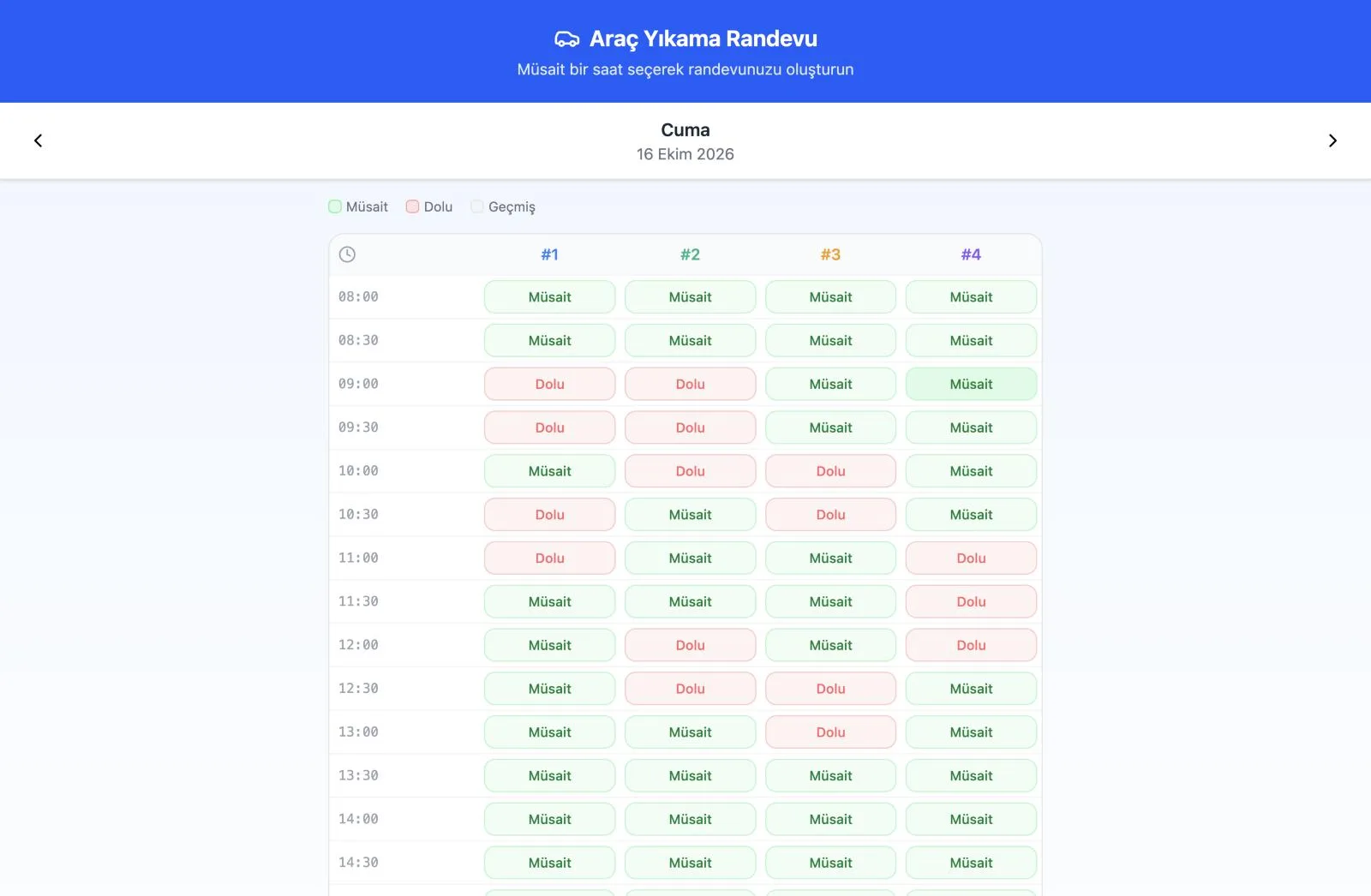
- The customer picks a time. The customer who opens the link picks a day and sees half-hour slots for each wash bay marked Available, Booked or Past.
- The phone number is verified. The customer types in their number and enters the 4-digit code sent to their WhatsApp. The code is valid for 10 minutes.
- Details are entered. The customer enters their name, plate (required), vehicle type, the services they want and any notes, then completes the booking with "Book Appointment".
- Confirmation goes out on WhatsApp. The customer receives a confirmation message with the date, time and plate, and the booking lands in your calendar.
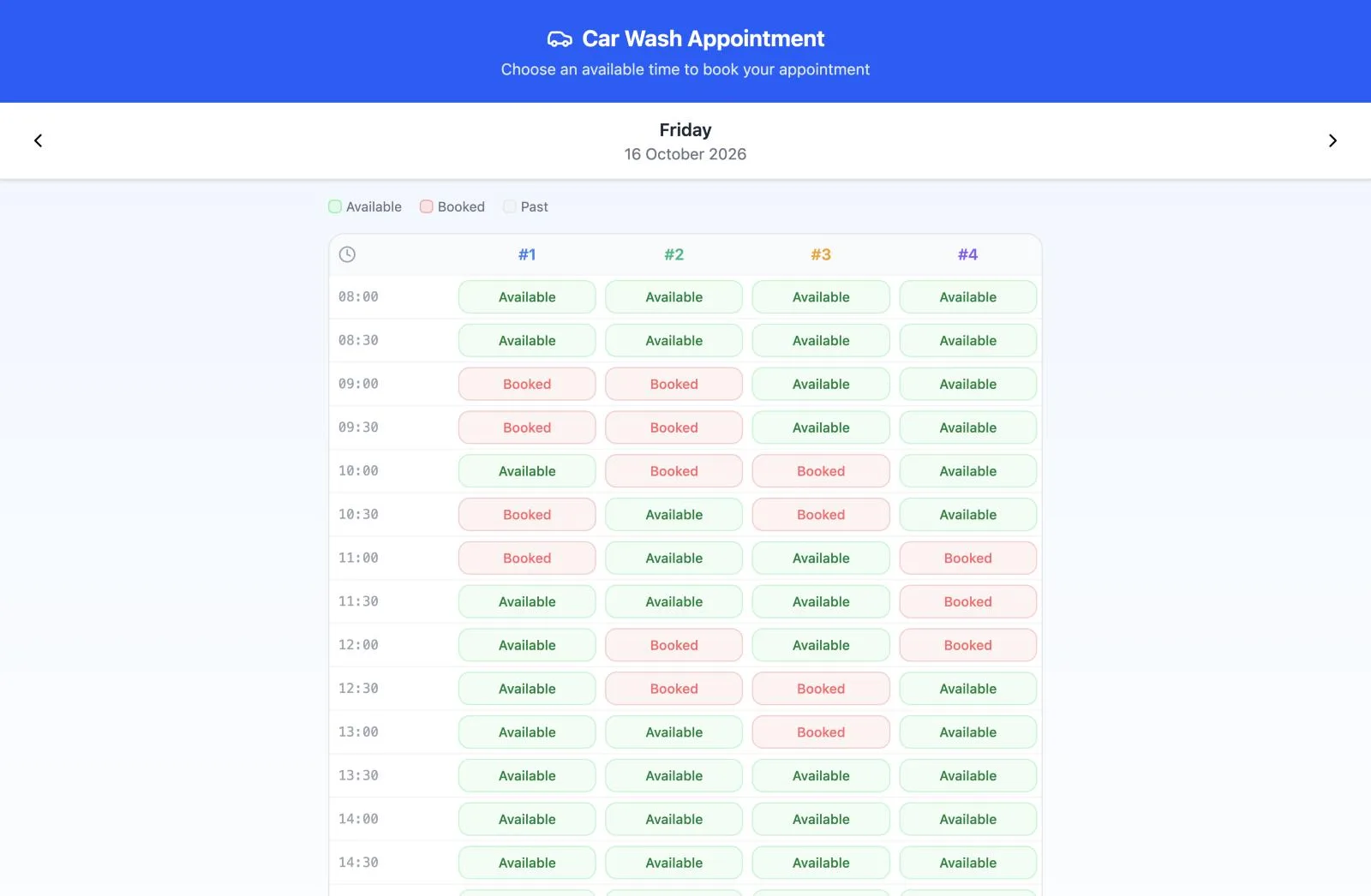
The customer doesn't need to download an app or sign up; the page opens in the phone's browser. Depending on the customer's browser language, the page is shown in 12 languages, including Turkish, English, German, Russian and Arabic. It's a small but useful detail for businesses in tourist areas or with lots of foreign customers.
How to Prevent Double Bookings and Fake Bookings
Business owners thinking about moving to online booking most often ask two questions: "What happens if two people book the same time?" and "What if someone books an appointment as a joke?"
- Clash check: If a time slot is already booked in a wash bay, the customer can't select it. Even if two customers try the same time at the same moment, the system won't accept the second booking and asks for a different time. Different wash bays, however, can each take a separate booking at the same time.
- Phone verification: The booking form opens only after the code sent to WhatsApp has been entered. The confirmation message also goes to the verified number, so you have a real contact number on file.
- Closed days: On days you've marked as holidays, or that aren't working days, the page doesn't take bookings and tells the customer so clearly.
These three checks remove the biggest hesitation about moving to online booking, the fear of losing control: the customer books the appointment themselves, but you decide which days, which time ranges and which wash bays they can book.
Who on the Team Gets the Incoming Booking?
A booking that comes in through the link is saved with the "Pending" status and no staff member assigned. These records appear in the Unassigned Jobs Pool above the calendar. A free employee takes the job with the "Claim" button, or a manager gives it to the right person with "Assign Staff".
You add bookings that come in by phone to the same calendar yourself: click an empty spot in the calendar and enter the plate, vehicle type, wash bay, start and end time, employee, status and notes. If you don't select an employee, the program warns you, because that record won't appear on any employee's screen.
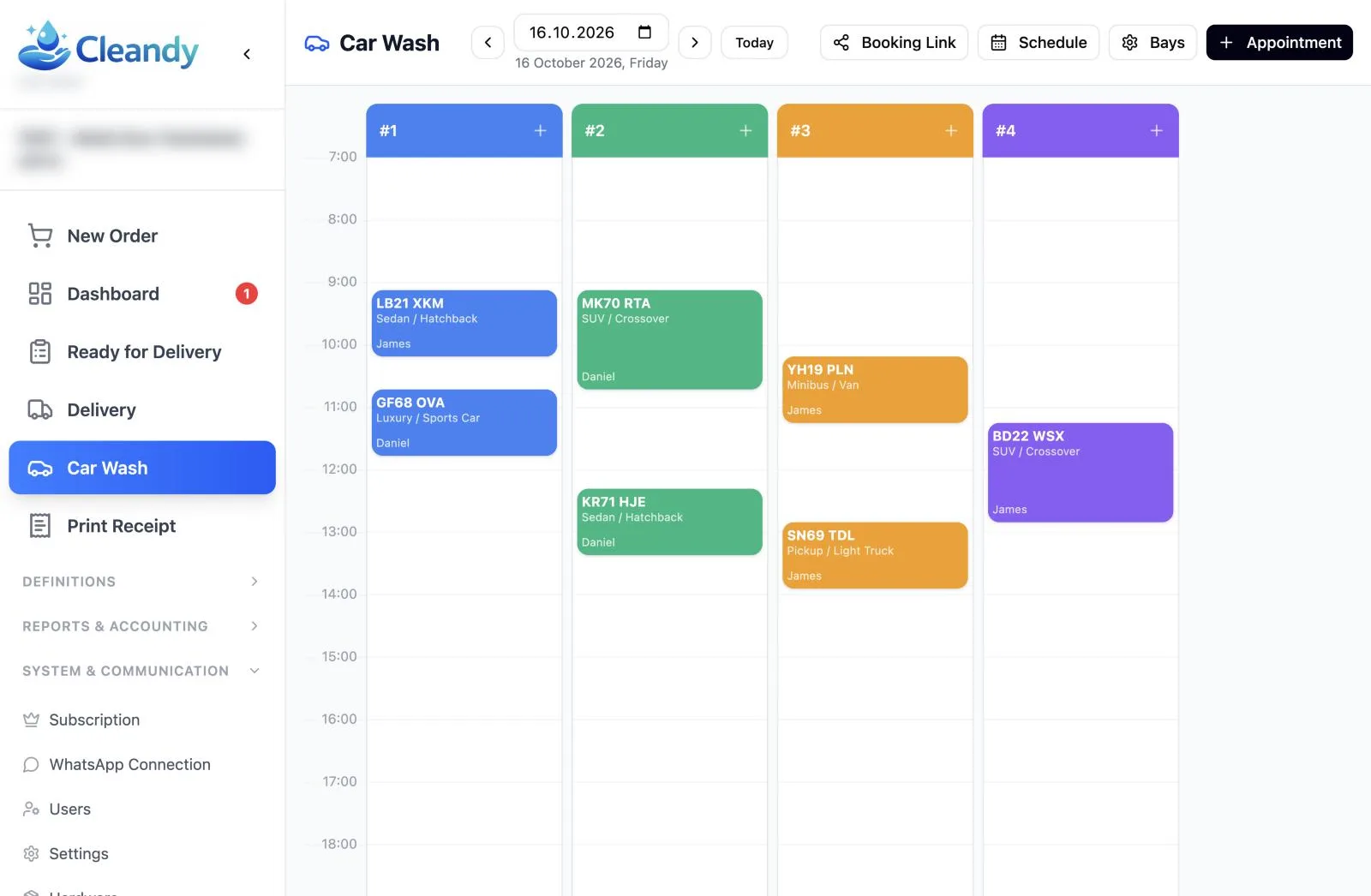
Users with the employee role see only the appointments assigned to them in the calendar. Since you set the start and end times freely for appointments you add by hand, a long detailing job takes up exactly that much room in the calendar, and those hours show as "Booked" to customers on the online booking page too.
The Daily Flow from Booking to Handover
On its own, a booking system is just a calendar; it shows its real value once it's tied into your daily flow. When the vehicle arrives, you convert the booking into an order with a single tap, and the plate, vehicle type and selected services come through to the receipt ready to go:
- Status tracking: Each record is marked Pending, In Progress, Completed or Cancelled. The counter below the calendar shows how many vehicles are at which stage during the day.
- Plate at the counter: When the vehicle arrives, you type the plate on the order screen or scan it with the camera, and the registered customer card opens.
- WhatsApp receipt: If the WhatsApp switch is on when the receipt is saved, the receipt goes to the customer automatically.
We explain in detail how to keep track of where each vehicle is throughout the day in our car wash tracking software article.
Practical Tips for Switching to Online Booking
- Put the link where people will see it. Your WhatsApp profile description, your Google Business Profile and your social media accounts are the first places customers look.
- Send the link to people who ask by phone. When a customer writes "Which times are free?", send the link instead of a long back-and-forth; they'll see the open times themselves.
- Check the pool in the morning. Before the day starts, check the Unassigned Jobs Pool and hand out the bookings to your staff.
- Enter holidays in advance. If you mark public holidays and closed days ahead of time, no bookings will come in for those days.
- Remind customers at the counter. When they pay, tell customers they can use the link for their next wash.
5 Questions to Ask When Choosing a Booking System
- Can customers book without downloading an app or signing up?
- Is a second booking for the same wash bay at the same time blocked?
- Is the phone number verified, and does the confirmation message go out on WhatsApp?
- Can holidays and closed days be blocked for bookings?
- Can incoming bookings be assigned to staff, and do staff see only their own work?
Frequently Asked Questions
Does the customer need to download an app to book?
No. The booking link opens in the phone's browser and no sign-up is required. The customer only enters the verification code sent to their WhatsApp.
Can two vehicles book the same time?
They can if they book different wash bays. A time slot that is already booked in the same wash bay can't be selected; the system won't accept the second booking.
Will bookings come in on days I'm closed?
No. On days you've marked as holidays and days that aren't working days, the booking page doesn't accept bookings.
Which staff member takes on bookings that come in online?
Online bookings land in the Unassigned Jobs Pool with no staff member assigned. An employee claims the job, or a manager assigns it to a suitable employee.
Create Your Booking Link Today
To switch to online booking, explore Cleandy's car wash software and try it free for 15 days; no credit card required.