
Cleandy Driver Module: Pickup & Delivery
"Do you offer pickup?" or "Can you deliver to our address?" are questions frequently encountered by dry cleaners, carpet washers, and similar businesses. Cleandy's driver module manages this service digitally from start to finish: every step from order acceptance to pickup, from delivery to payment collection is on the driver's phone and the owner's screen.
How Does the Driver Module Work?
1. The Driver Logs In from Their Phone
The courier or driver accesses Cleandy from their phone's browser. No app download is required. A dedicated user account is created for the driver; they only see tasks assigned to them and cannot access the cash register or customer records.

2. They View the Pickup List
Orders marked as "pickup" by the business operator appear on the driver's screen. Each task includes:
- Customer name and phone number
- Pickup address
- Expected number of items or note
- Requested service type
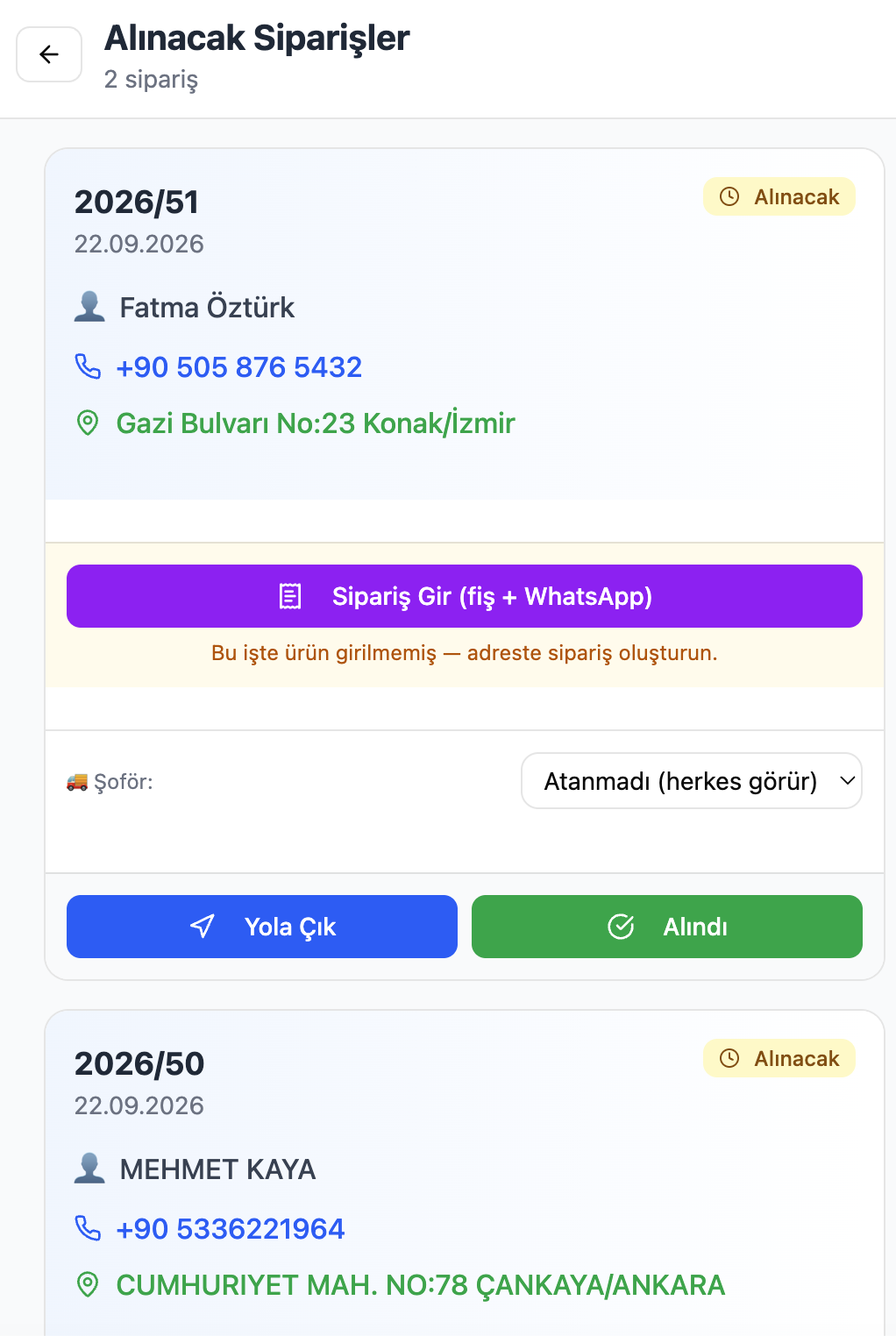
3. They Get Directions
Tapping the address immediately redirects to the navigation app (Google Maps or Apple Maps). No additional steps required.
4. They Pick Up Items and Add to Receipt
While receiving items from the customer, the driver enters each piece into the system:
- Item type (suit, coat, carpet, sofa…)
- Quantity
- Stain note if any
- Applied service
The receipt is generated on the spot; an automatic WhatsApp notification is sent to the customer: "Your item has been picked up, estimated ready date: …"

5. They Collect Payment at Pickup (Optional)
If payment is to be made when items are picked up, the driver collects it by cash or card. This amount is recorded directly in the driver's cash register.
6. They Also Handle Deliveries
The driver module is not only for pickups. Ready orders are added to the delivery list; the driver:
- Goes to the delivery address
- Hands the items to the customer
- If payment is to be collected at delivery, collects it (cash or card)
- Marks as delivered
Payments made at delivery are immediately reflected in the cash register report.
Driver's Cash Register: Appears Separately in Z-Report
Cash and card payments collected by the driver throughout the day are kept separate from the business's main cash register. In the end-of-day Z-report:
```
Main Register
Cash collected: X ₺
Card collected: X ₺
Driver's Register (First Last)
Cash collected: X ₺
Card collected: X ₺
Amount to hand over: X ₺
```
When the driver closes the day, the exact amount they need to hand over is clearly visible; no discrepancies arise.
Collecting Payment at Delivery: How Does It Work?
When creating an order, the "collect at delivery" option can be checked. In this case:
- The amount is visible on the receipt but the cash register report puts it on hold.
- When the driver completes the delivery, they enter the payment.
- It is added to the driver's cash register based on cash or card selection.
- An automatic WhatsApp receipt is sent to the customer: payment line item, total, and date.
Which Businesses Use It?
The driver module is active across all sectors using Cleandy:
| Sector | Pickup | Delivery |
|---|---|---|
| Dry cleaning | ✓ Item pickup, stain note | ✓ Cleaned item delivery |
| Carpet washing | ✓ Carpet/sofa pickup | ✓ Washed carpet delivery |
| Sofa washing | ✓ On-site or address pickup | ✓ Delivery or on-site service |
| Car washing | ✓ Vehicle pickup | ✓ Return washed vehicle |
Frequently Asked Questions
From which phone does the driver use the app?Cleandy is web-based; it opens in the driver's phone browser. It works with all devices including Android and iOS.
Can there be multiple drivers?Yes. A separate user account is created for each driver; each driver's cash register appears on a separate line in the Z-report.
Can the driver interfere with the cash register report?No. The driver can only see their own tasks and collections; they have no access to the cash register report, customer list, or pricing information.
How is a pickup order created?The operator at headquarters enters the pickup address when creating a new order and assigns it to a driver. The driver sees this task on their phone immediately.
Is collecting payment at delivery mandatory?No. It can be set separately for each order: upfront, at delivery, or charge to account.
---